

For B170PW01 B170PW03 B170PW05 B170PW06 LCD Monitor Controller Drive Board DIY Kit 1440*900 LVDS 30-Pin 1-CCFL 1440x900 HDMI+VGA


For B170PW01 B170PW03 B170PW05 B170PW06 LCD Monitor Controller Drive Board DIY Kit 1440*900 LVDS 30-Pin 1-CCFL 1440x900 HDMI+VGA
Please read the following instructions carefully before purchasing:
1, Please ensure that your screen can still power on and display normally. If your screen is damaged, please do not place an order as the controller board cannot repair or drive the damaged screen. You can connect the screen to the original monitor for testing. Or use a screen tester for testing.
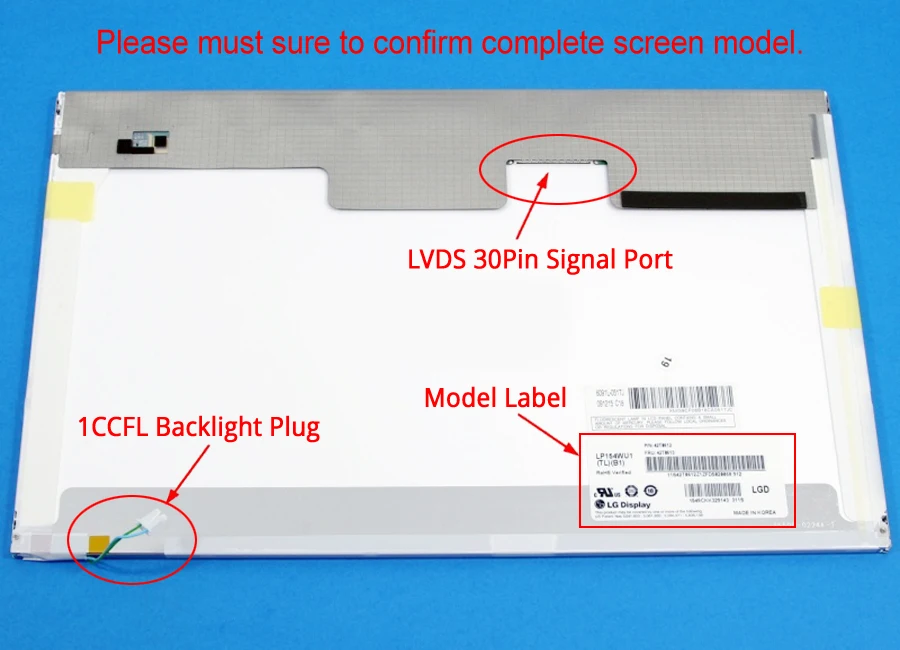
2, We will install driver firmware for free based on your screen parameters so that the controller board can function properly. So, please select the model from the list that is exactly the same as your screen (including the model suffix). If your screen model is not on our sales list. Please send us photo of the model label, signal port and backlight connector on the back of the screen first to help you confirm (do not place an order blindly to avoid unnecessary disputes). As shown in the reference photo below:
Controller board description:
This controller board only suitable for LVDS 30-pin display screen.
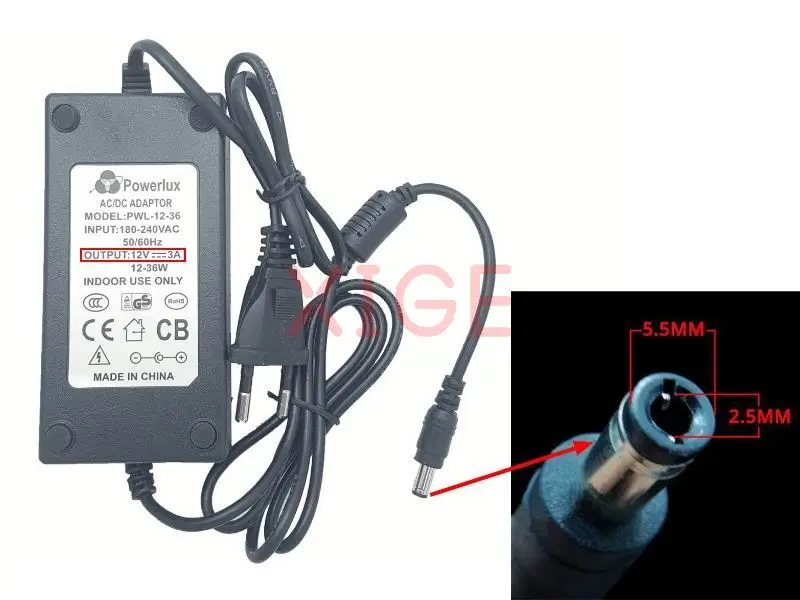
Controller board input power supply: DC 12V 3A (DC Port: 2.5MM and 5.5MM inner+ outside-)
Please note: Do not use power adapters with voltages exceeding 12 volts. This will damage the control board.
Input: HDMI-compatible, VGA, Audio
Audio output: PH2.0 4-pin speaker port (requires self purchase of speaker)
OSD Language: Chinese, English, Spanish, French, German, Italian, etc
Board size: 113mm*58mm
When the correct signal source input is not detected. The controller board will automatically enter standby mode. The keypad cannot respond, and the indicator light changes from green to red. Please connect the correct signal source.
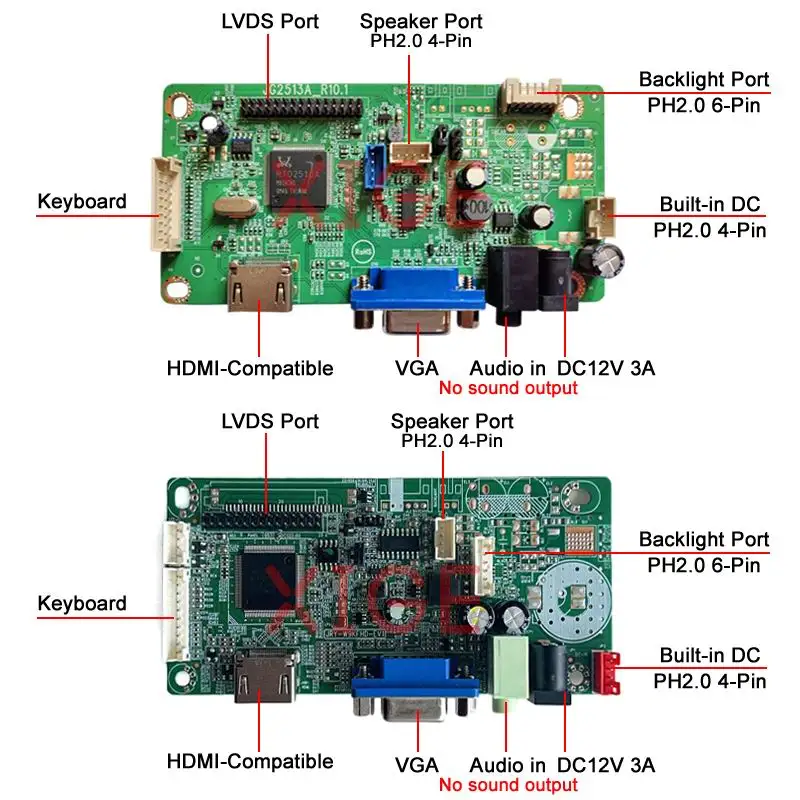
Please note: There are two versions of the controller board. The function and port are the same. We will select the configuration based on your screen model.
Packaging List:
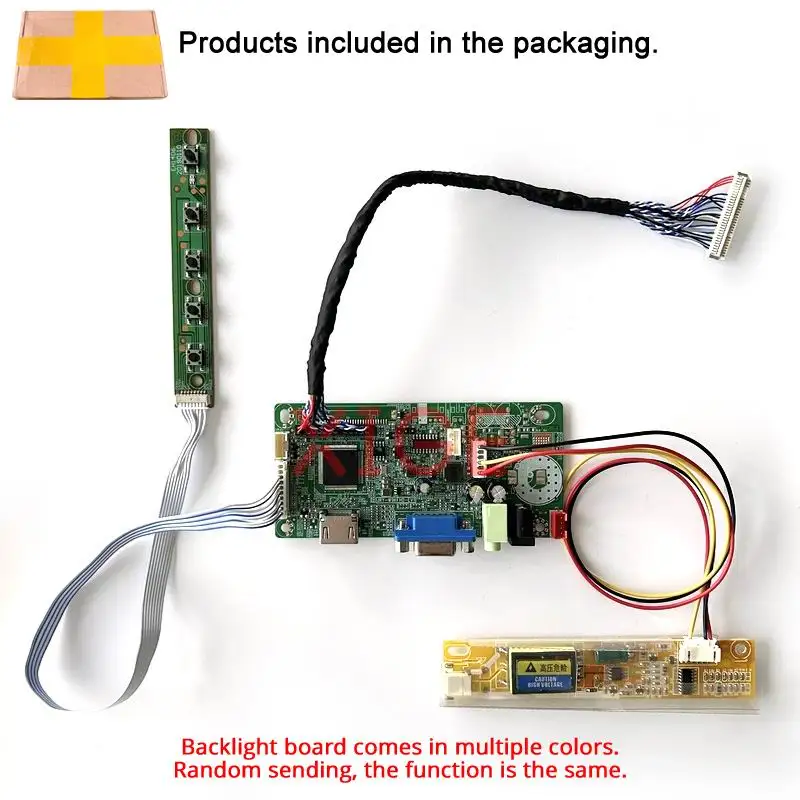
1Pcs x Controller motherboard
1Pcs x LVDS 30-Pin signal cable
1Pcs x Keyboard with cable
1Pcs x Backlight inverter (According to your screen configuration)
Installation connection:
Please use the screen cable we sent to correctly connect to your screen, and then connect the backlight cable. Finally, connect the power adapter and HDMI or VGA signal cable. (pay attention to insulation measures when powering on to avoid short circuits).
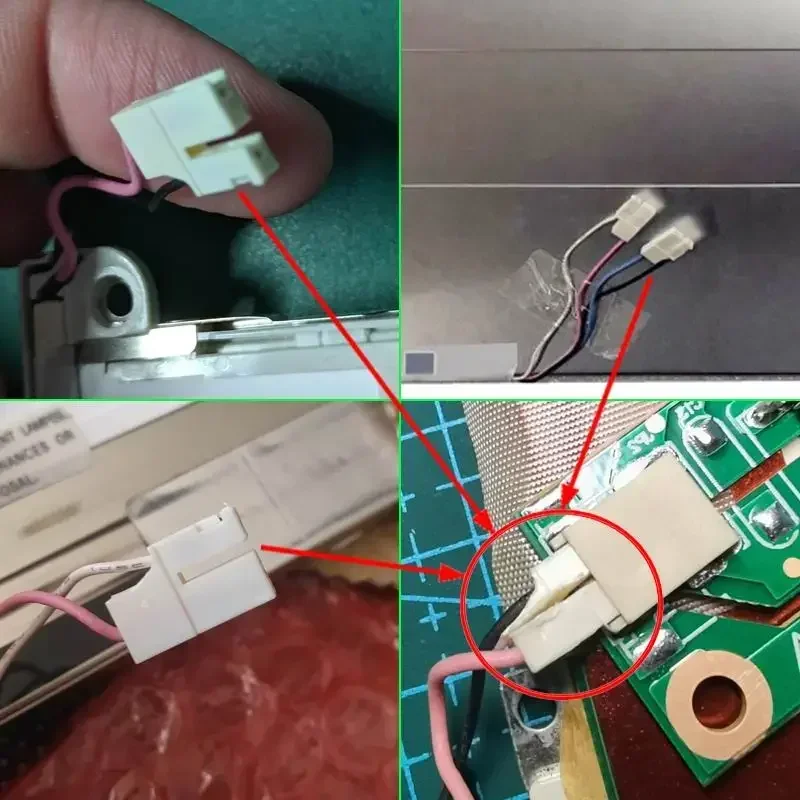
Note: Some special screen backlight connectors require cutting to connect to our backlight inverter. As shown in this reference photo.
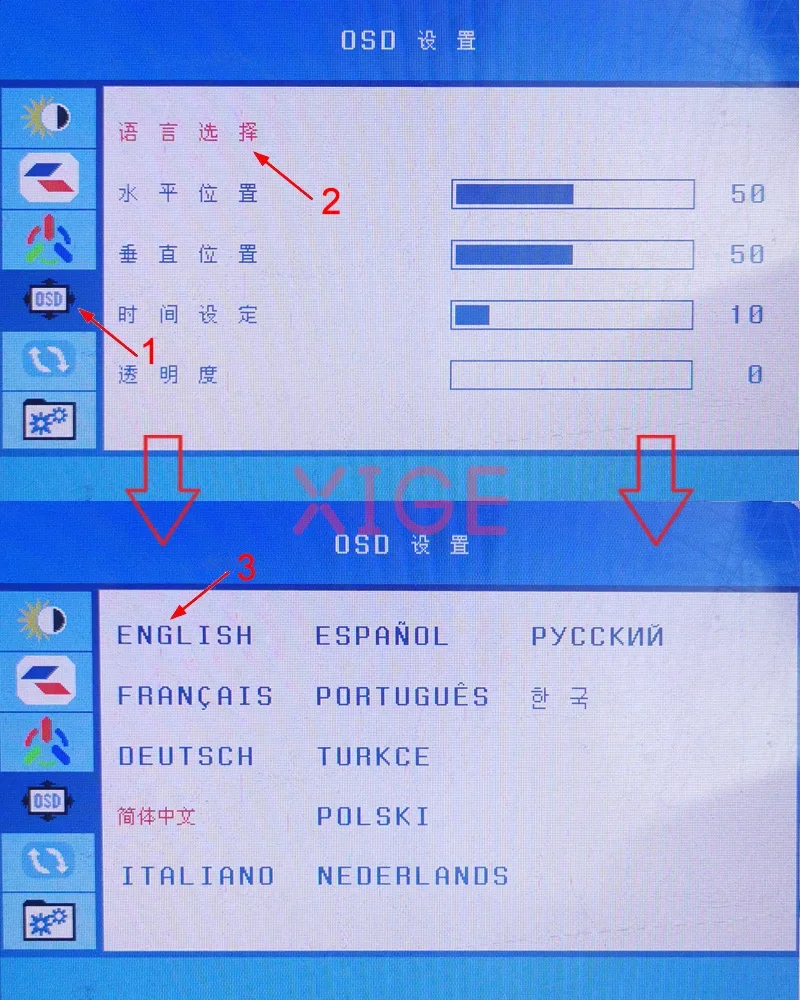
Please refer to the photo below for OSD menu language settings. (If the OSD menu is different, please contact us)
If you have any problems during the operation. Please feel free to contact us. It's best to provide some photos or videos to help us check the problem. Blind negative evaluation does not solve any problem. Hope we can communicate to solve. Thanks in advance.